


Top Selling







Blog
Our products

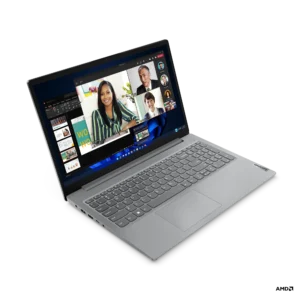
LENOVO V15 G4 AMN AMD RYZEN 3 7320U 15.6″ FHD DISPLAY LAPTOP
රු139,000.00
or 3 X රු 46,333.33 with
 *
*
*
AMD Ryzen 3 7320U | 8GB RAM | 512GB NVMe SSD | 15.6" FHD Display | Windows 11 Pro
Perfect for productivity, speed & seamless multitasking
Perfect for productivity, speed & seamless multitasking
- Processor: AMD Ryzen 3 7320U
- RAM: 8GB
- Storage: 512GB NVMe SSD
- Display: 15.6" FHD
- Operating System: Windows 11 Pro
- Screen: 15.6", 1920x1080 (Full HD), 60Hz
- GPU: AMD Radeon 610M
- Weight: 1.63 kg
- Battery: 38Wh
- Keyboard: ENG
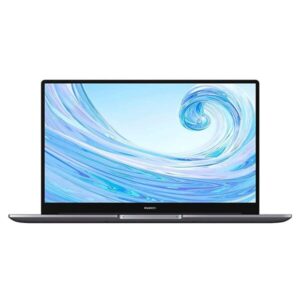
LAPTOP HUAWEI MATEBOOK D15 8GB DDR4 RAM,512GB NVMe SSD
Original price was: රු259,000.00.රු249,000.00Current price is: රු249,000.00.
or 3 X රු 83,000.00 with
*
*
Model HUAWEI MateBook D15 2021
Processor Intel® CoreTM i5-1135G7 Processor 'Base 2.4GHz; Up to 4.2GHz'
Memory 8GB DDR4 3200MHZ
Storage 512 GB NVMe PCle SSD
Display 15.6 inches IPS Screen-to-body Ratio 87% Aspect Ratio 16 : 9 Resolution 1920 x 1080 Maximum Brightness 250 nits 'Typical' Contrast Ratio 800 : 1 Viewing Angle 178 degrees
Graphics Intel® Iris® Xe Graphics
Keyboard Full-size keyboard ,Touchpad ,Fingerprint Power Button
Wireless IEEE 802.11 a/b/g/n/ac/ax,160 MHz ,Bluetooth 5.1
Port USB 3.2 Gen1 x 1
USB 2.0 x 2
USB-C x 1
HDMI x 1
3.5 mm headset and microphone 2-in-1 jack x 1
Color Mystic Silver
Battery 42 Wh 'rated capacity'
Material Aluminum alloy
Weight 1.7kg
O/S Windows 11 Home
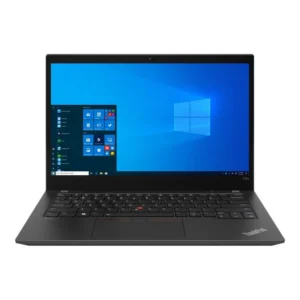
LENOVO THINKPAD T145 INTEL CORE i5 10TH GEN 14″INCH TOUCH DISPLAY LAPTOP
Original price was: රු115,000.00.රු111,000.00Current price is: රු111,000.00.
or 3 X රු 37,000.00 with
*
* Processor: Intel Core i5 10th Gen – reliable and efficient
Memory: 8GB RAM – smooth multitasking across tasks
Storage: 256GB SSD – fast data access and quick boot-up
Display: 14" Touchscreen – intuitive interaction with sharp visuals
Operating System: Windows 10 Pro – robust and secure for business use
Build: Classic ThinkPad durability and keyboard comfort


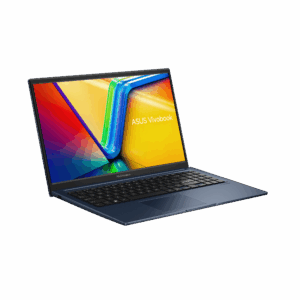
ASUS VIVOBOOK F1504VA-NJ827 I3 13TH GEN 15.6″INCH FHD DISPLAY LAPTOP
Original price was: රු155,000.00.රු145,000.00Current price is: රු145,000.00.
or 3 X රු 48,333.33 with
*
* 
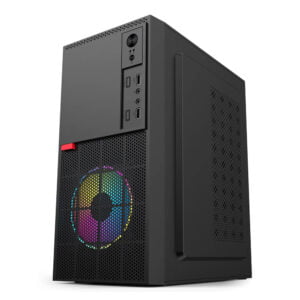
Intel® Pentium® Gold G6400 8GB RAM 256GB SSD -NVME LING YUE CASING DESKTOP PC
රු93,500.00
or 3 X රු 31,166.67 with
*
* 
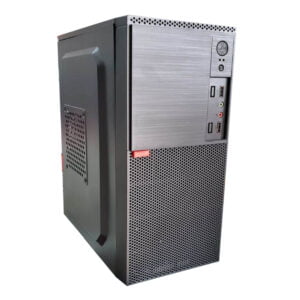
Intel® Core i5 2nd gen 4GB DDR3 RAM 500GB HDD LING YUE CASING DESKTOP PC FULL SET
රු38,500.00
or 3 X රු 12,833.33 with
*
*