


7 Essential Tips for Maintaining Your Desktop or Laptop Computer

Desktop and laptop computers have become a staple in our daily lives, from work to entertainment, and even communication with loved ones. They help us stay connected to the world around us, but just like any other electronic device, they require regular maintenance to function at their best. Here are some tips to help you maintain your desktop or laptop computer.

  1. Keep Your Computer Clean

Dust and debris can clog up your computer's vents, leading to overheating and hardware damage. To prevent this, make sure to clean your computer regularly. Use a can of compressed air to blow out any dust that may have accumulated in the vents, keyboard, and ports.

  1. Keep Your Computer Cool

Overheating can cause your computer to slow down, shut down, or even cause permanent damage to your hardware. Make sure your computer is in a cool, well-ventilated area. Avoid using your computer on soft surfaces like your bed or couch as this can block the vents and cause overheating.

  1. Keep Your Computer Updated

Regularly update your operating system and software. Updates often contain security patches and bug fixes that can help protect your computer from malware and viruses. Additionally, updating your drivers can help your hardware function at its best.

  1. Keep Your Computer Secure

Malware and viruses can cause irreparable damage to your computer. To prevent this, install an antivirus software and keep it up-to-date. Be cautious when opening email attachments or downloading files from the internet as these can contain harmful viruses.

  1. Organize Your Files

A cluttered computer can slow down your system and make it harder to find the files you need. Organize your files into folders and delete any unnecessary files. Use an external hard drive or cloud storage service to backup your files in case of hardware failure or malware infection.

  1. Perform Regular Maintenance

Regularly perform system maintenance like disk cleanup, disk defragmentation, and registry cleanup. These can help remove unnecessary files and optimize your system's performance. You can also use tools like Task Manager to close any programs that are using too much of your computer's resources.

  1. Keep Your Computer Upgraded

Upgrading your computer's hardware can improve its performance and extend its lifespan. Consider upgrading your RAM, hard drive, or graphics card to improve your system's performance.

In conclusion, maintaining your desktop or laptop computer is essential for its longevity and performance. By following these tips, you can ensure that your computer runs smoothly and efficiently, making your daily tasks and entertainment a breeze.


Our products

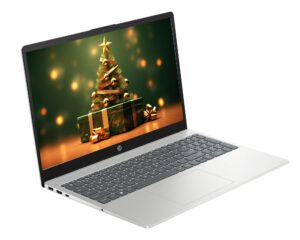
HP 15-FC0125NIA R3 7320U 15.6″FHD LAPTOP

Original price was: රු139,000.00.Current price is: රු129,000.00.
or 3 X රු 43,000.00 with Koko *
  • Processor: AMD Ryzen 3 7320U (4 cores, up to 4.1 GHz)

  • Memory: 8GB DDR4 RAM (expandable)

  • Storage: 256GB NVMe SSD

  • Display: 15.6″ Full HD (1920×1080), anti-glare

  • Graphics: AMD Radeon Graphics (integrated)

  • Operating System: Windows 11 Pro

  • Keyboard: Full-size with numeric keypad

  • Connectivity: Wi-Fi, Bluetooth, LAN (RJ-45)

  • Webcam: HD camera with digital microphone

  • Weight: ~1.6 kg

HP 15-FD1114TU INTEL CORE 5 14TH GEN 15.6″FHD LAPTOP

Original price was: රු220,000.00.Current price is: රු199,000.00.
or 3 X රු 66,333.33 with Koko *
  • Model: HP 15-FD1114TU

  • Processor: Intel Core i5, 14th Generation

  • Display: 15.6″ Full HD

  • Operating System: Windows (unspecified, likely Win 11)

  • Includes: Laptop Bag

HP 15-FD0150WM INTEL CORE 5 14TH GEN 15.6″INCH IPS TOUCH DISPLAY LAPTOP

Original price was: රු208,000.00.Current price is: රු198,000.00.
or 3 X රු 66,000.00 with Koko *
  • Model: HP 15-FD0150WM

  • Processor: Intel Core 5 (14th Gen)

  • Memory: 8GB RAM

  • Storage: 512GB NVMe SSD

  • Display: 15.6" IPS Touchscreen

  • Operating System: Windows 11 Home

  • Free Accessories: Laptop Bag & Mouse

FORZA INTEL BUILD CUSTOMIZE PC

රු425,000.00
or 3 X රු 141,666.67 with Koko *
PRODUCT DETAILSPROCESSOR - INTEL CORE I7 13700 MOTHERBOARD - MSI PRO B760M P DDR5 MEMORY (RAM) - 32GB DDR5 GRAPHIC - RTX 4060 8G D6 POWER SUPPLY - 750W 80+ STORAGE : SSD - 1TB SSD - NVME CASING - MSI MAG FORGE 320R AIR COOLER- GAMDIAS BBOREAS E2 410 CPU COOLER- NZXT T120RGB AIR COOLER

DELL LATITUDE 7390 I5 8TH GEN 13.3″INCH FHD TOUCH DISPLAY LAPTOP

Original price was: රු89,000.00.Current price is: රු79,000.00.
or 3 X රු 26,333.33 with Koko *
8th Gen i5 Processor 8GB RAM 256GB SSD 13.3'' FHD Touch Display Windows 10 Pro

INTEL CORE I5 11400f 16GB RAM 512GB SSD – NVME v8 BLACK CASING DESKTOP PC

රු216,000.00
or 3 X රු 72,000.00 with Koko *
SPECIFICATIONPROCESSOR - INTEL CORE I5 11400f MOTHERBOARD - BIOSTAR H510M MEMORY (RAM) - 16GB DDR4 GRAPHIC - GTX1650 D6 4G POWER SUPPLY - aura gp550w STORAGE : SSD - 512GB SSD - NVME CASING - v8 black